


How Many Keywords Should I Use for SEO? Per Page, Post and Site


How Many Keywords Should I Use for SEO? Per Page, Post and Site
TL;DR
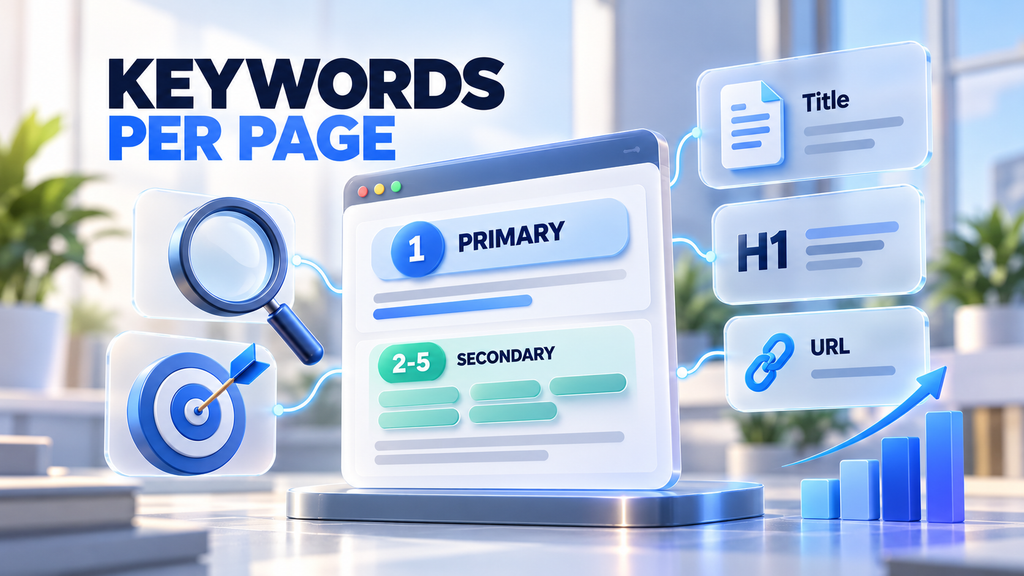
Use one primary keyword per page and 2 to 5 secondary keywords that share the same search intent. A blog post can naturally cover more variations, often 5 to 10, as long as they all answer the same question. There is no fixed number for a whole website: plan one main keyword for every page, and give each new search intent its own page.
Key takeaways
- One page, one primary keyword. Every page should have one main keyword it is built to rank for.
- Secondary keywords support, they do not compete. Add 2 to 5 close variations or related terms with the same intent.
- Intent decides, not numbers. If two keywords need different answers, they need different pages.
- Keyword density is not a target. Use the main keyword in key places, then write naturally.
- A website’s keyword total equals its pages. More useful pages, each with a clear focus, means more keywords you can rank for.
“How many keywords should I use for SEO?” is one of the most common questions in content planning. Use too few and the page may not match what people search. Use too many and you either stuff the text or try to answer several different questions on one page.
The short answer is simple, and this guide gives you the exact numbers for different page types, a table of where to place each keyword, a real example and the mistakes to avoid.
How Many Keywords Should I Use for SEO?
For most pages, use one primary keyword and 2 to 5 secondary keywords. The primary keyword is the main search you want the page to rank for. Secondary keywords are close variations, synonyms and related questions that people with the same intent also search for.
This works because Google ranks pages for topics, not single phrases. A well-written page that fully answers one search intent often ranks for dozens or even hundreds of related queries, even if only a handful are used on purpose.
Primary vs Secondary Keywords
- Primary keyword: the main query the page targets, for example “how many keywords for seo”. It goes in the title, H1, URL and first paragraph.
- Secondary keywords: related queries with the same intent, for example “how many keywords per page” or “how many keywords per blog post”. They appear in subheadings and body text.
- Supporting terms: words and entities that naturally belong to the topic, such as “search intent”, “keyword cannibalization” or “long tail keywords”. You do not target them, but a complete answer includes them.
How Many SEO Keywords Per Page (by Page Type)
The right number depends on the type of page and how broad its topic is.
| Page type | Primary keyword | Secondary keywords | Example primary keyword |
| Homepage | 1 (brand + core service) | 2 to 3 | SEO and GEO agency |
| Service page | 1 | 2 to 5 | technical SEO audit |
| Product or category page | 1 | 2 to 4 | women’s running shoes |
| Location page | 1 | 2 to 4 | SEO services Calgary |
| Blog post | 1 | 5 to 10 | how many keywords for seo |
| FAQ or glossary page | 1 per question | 0 to 2 | what is keyword density |
Service, product and location pages stay tight because they have one clear commercial intent. Blog posts can cover more variations because people ask the same question in many different ways.
How Many Keywords Per Blog Post?
A blog post usually targets one primary keyword plus 5 to 10 secondary keywords and question variations. For example, this article targets “how many keywords should I use for SEO” and also answers “how many keywords per page”, “how many keywords per blog post” and “how many keywords should a website have”, because they are all the same question asked differently.
If a keyword needs a different answer, for example “how to do keyword research”, it belongs in a separate article that you link to.
How Many Keywords Should a Website Have?
There is no ideal total. A website should have as many target keywords as it has useful pages, with one primary keyword for each page. A small local business site may target 10 to 30 primary keywords, while a large ecommerce store can target thousands.
The best way to manage this is a keyword map: a simple spreadsheet with every page, its primary keyword and its secondary keywords. It shows you which searches you already cover, where pages overlap and which topics still need a page.
How to Choose Keywords for One Page: Step by Step
Step 1. Pick one primary keyword
Use a keyword tool to find the query with the best balance of search volume, difficulty and relevance to your business. That becomes the page’s primary keyword.
Step 2. Check the search intent
Search the keyword and look at the top results. Are they guides, product pages, service pages or tools? Your page needs to match that format, or it will struggle to rank no matter how many keywords it uses.
Step 3. Group secondary keywords with the same intent
Collect close variations and related questions. Keep only the ones that the same page can answer well. If the top results for a secondary keyword are completely different pages, that keyword needs its own page.
Step 4. Place keywords where they matter
Use the primary keyword in the key elements (see the table below), then cover secondary keywords in subheadings and body text. Write for the reader first.
Step 5. Check for keyword cannibalization
Make sure no other page on your site targets the same primary keyword. Two pages competing for one query usually both rank worse. Merge them or give each one a different focus.
Where to Place Keywords on the Page
| Page element | Primary keyword | Secondary keywords |
| SEO title | Yes, near the start | Optional, if it fits naturally |
| URL | Yes, short version | No |
| H1 | Yes | Optional |
| First 100 words | Yes | Optional |
| H2 and H3 headings | In one or two | Yes, this is their main place |
| Body text | A few natural mentions | Yes, naturally |
| Image alt text | In the main image | In other images, if relevant |
| Meta description | Yes | Optional |
| FAQ | In one question | Yes, as questions |
Example: Keyword Plan for One Article
Here is the real keyword plan we used for our guide to SEO content briefs:
- Primary keyword: seo content brief
- Secondary keywords: content brief template, content brief, seo content brief template, ai content brief, ai content brief generator
- Placement: primary in the title, H1, URL and first paragraph; “template” in the H2 with the template table; “AI” in the H1 and the step-by-step H2
- Left for another page: queries about content writing services, which have commercial intent and belong to the service page
One primary keyword, five secondary ones, all with the same intent. That is the pattern to repeat for every page.
Keywords and AI Search
Google AI Overviews, ChatGPT and Perplexity do not count keywords at all. They look for pages that clearly answer a question and cover the topic completely. This makes the “one page, one intent” rule even more important:
- Answer the main question early, in plain words, right under a heading.
- Cover the related questions people ask next, ideally in an FAQ.
- Name the topic and its entities clearly, so AI systems understand what the page is about.
- Avoid mixing intents, because a page that answers several different questions is harder to quote.
This is the same answer-first approach we describe in our guide to answer engine optimization.
Common Keyword Mistakes
- Keyword stuffing. Repeating the same phrase unnaturally makes the text worse and can trigger spam signals.
- Targeting different intents on one page. “Buy running shoes” and “how to choose running shoes” need two different pages.
- Chasing a keyword density percentage. There is no ideal density. Natural use in the right places is enough.
- Two pages for the same keyword. They compete with each other, and often neither ranks well.
- Ignoring long tail keywords. Longer, specific queries are easier to rank for and often convert better.
How SEO F1RST Plans Keywords
At SEO F1RST, every page gets one primary keyword chosen from real search data, a group of secondary keywords with the same intent and a place in the site’s keyword map, so pages never compete with each other. We then build those keywords into briefs for our writers and check the result for both Google and AI search. Learn more about our SEO services and content writing services. To check that your content is easy to read, try our free Flesch Kincaid Calculator.
FAQ: How Many Keywords for SEO
How many primary keywords should a single page target?
Aim for one clear primary keyword per page, plus two to five closely related secondary keywords that support the same topic. More than one primary keyword usually means the page is trying to answer different questions.
Is keyword density still a ranking factor?
Not directly. Search engines evaluate context and relevance, so focus on natural language rather than hitting a percentage. If the text reads smoothly and fully answers the query, density takes care of itself.
Can I rank for multiple keywords on one page?
Yes, as long as the keywords share the same search intent. Use the primary keyword in the title, URL and H1, and cover secondary keywords in subheadings, body text and image alt text where they fit naturally.
What happens if I use too many keywords?
Overusing keywords, also called keyword stuffing, can trigger spam signals and lower rankings. The text also becomes harder to read, which makes visitors leave faster and reduces conversions.
How do I decide which keywords belong on separate pages?
Search each keyword and compare the top results. If they show similar pages, one page can target both. If they show different types of pages or answer different questions, create separate pages and link them to each other.
About the author
Vadym Romakh, SEO and GEO Specialist at SEO F1RST
Vadym has more than 10 years of experience in SEO and leads SEO and GEO strategy for ecommerce, Shopify and B2B brands at SEO F1RST. He holds Semrush certifications in AI search optimization and builds AI-assisted workflows for SEO audits and AI visibility tracking.
Not sure which keywords your pages should target?
We run a free SEO and AI visibility audit that shows where you rank in Google and how often ChatGPT, Gemini, Perplexity and AI Overviews mention your brand. Get your free audit and a clear plan for what to do next.


