


Ecommerce SEO Checklist: 30 Checks to Rank Your Online Store


Ecommerce SEO Checklist: 30 Checks to Rank Your Online Store
TL;DR
An ecommerce SEO checklist helps you find what stops your online store from ranking and selling. Start with a keyword map, then fix category pages, product pages and technical issues such as duplicate filter URLs, canonical tags and page speed. Add buying guides that link to categories, earn relevant links and keep your product data accurate for Google and AI search. Use the 30-point checklist below to audit your store.
Key takeaways
- Category pages drive most ecommerce SEO traffic. They target the commercial keywords people use when they are ready to buy.
- Duplicate content is the biggest technical risk. Filters, sorting and product variants can create thousands of near-identical URLs.
- Product pages need unique content and Product schema. Copied manufacturer descriptions and missing prices or stock data hold them back.
- Content supports sales. Buying guides and comparisons attract earlier-stage visitors and pass them to categories.
- AI search uses the same signals. Clear product data, reviews and brand mentions help your store appear in AI answers and shopping results.
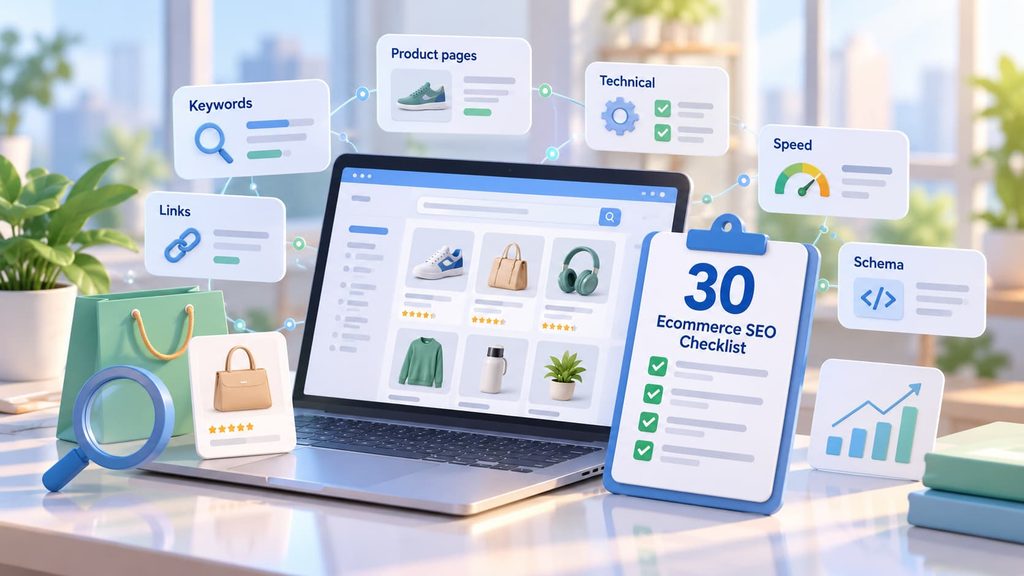
For most online stores, organic search is the channel with the best long-term return: you do not pay for each click, and visitors arrive with a clear need. But ecommerce sites are hard to optimize. They have hundreds or thousands of pages, filters that create duplicate URLs and product data that changes every day.
This ecommerce SEO checklist covers everything we check when we audit an online store. It works for any platform, including Shopify, WooCommerce, Magento and BigCommerce. If your store runs on Shopify, also see our Shopify SEO checklist for platform-specific settings.
Ecommerce SEO Checklist: 30 Checks (Copy and Use)
| Area | Check | Done |
| Keywords | 1. Keyword map with one primary keyword per page | ☐ |
| Keywords | 2. Category pages target commercial keywords (product type + attribute) | ☐ |
| Keywords | 3. Product pages target brand, model and key attributes | ☐ |
| Keywords | 4. Blog targets informational questions from buyers | ☐ |
| Structure | 5. Every product is no more than 3 clicks from the homepage | ☐ |
| Structure | 6. Breadcrumbs on categories and products, with BreadcrumbList schema | ☐ |
| Structure | 7. Short, readable URLs without IDs and parameters | ☐ |
| Structure | 8. Internal links from guides and blog posts to categories | ☐ |
| Category pages | 9. Unique title and H1 with the main keyword | ☐ |
| Category pages | 10. Short unique intro text and FAQ below the product grid | ☐ |
| Category pages | 11. Filter and sort URLs do not create indexable duplicates | ☐ |
| Category pages | 12. Pagination pages are crawlable and linked | ☐ |
| Product pages | 13. Unique descriptions, not copied from the manufacturer | ☐ |
| Product pages | 14. Title includes brand, model and key attribute | ☐ |
| Product pages | 15. Product schema with price, availability and reviews | ☐ |
| Product pages | 16. Images compressed (WebP) with descriptive alt text | ☐ |
| Product pages | 17. Customer reviews and questions shown on the page | ☐ |
| Product pages | 18. Out-of-stock pages stay live; discontinued products redirect (301) to the closest alternative | ☐ |
| Technical | 19. Important pages indexed in Google Search Console | ☐ |
| Technical | 20. XML sitemap lists only indexable pages that return 200 | ☐ |
| Technical | 21. robots.txt blocks cart, checkout and internal search, not categories or products | ☐ |
| Technical | 22. Canonical tags on product variants and duplicate URLs | ☐ |
| Technical | 23. Core Web Vitals pass on mobile | ☐ |
| Technical | 24. HTTPS everywhere, no mixed content | ☐ |
| Technical | 25. No broken internal links or redirect chains | ☐ |
| Content | 26. Buying guides and comparisons that link to categories | ☐ |
| Content | 27. FAQ answers real buyer questions on key categories | ☐ |
| Links | 28. Links and mentions from relevant publications, partners and reviews | ☐ |
| Links | 29. Old URLs with backlinks redirect to live pages | ☐ |
| AI and shopping | 30. Accurate product feed in Google Merchant Center and brand visibility checked in AI answers | ☐ |
Ecommerce SEO Tips by Area
Keyword research
Build a keyword map before you change any page. Category pages should target commercial searches such as “women’s running shoes” or “wireless earbuds under 100”. Product pages target exact models and brands. Blog posts target questions like “how to choose running shoes”. Each keyword gets one page, so your own pages do not compete. Our guide on how many keywords to use for SEO explains how to group them.
Category pages
Category pages are the most valuable pages in most stores. Give each one a unique title and H1, a short intro that helps buyers choose, and an FAQ under the product grid. Keep filter combinations that people actually search for as indexable pages, and keep the rest out of the index with canonical tags or noindex.
Product pages
Write unique descriptions that answer what buyers want to know: size, materials, use cases and how the product compares with similar ones. Add Product schema with price, availability and reviews so Google can show rich results. When a product is out of stock, keep the page live. When it is discontinued for good, redirect it to the closest alternative.
Technical SEO
Most ecommerce SEO problems are technical. Filters, sorting options, product variants and tracking parameters create duplicate URLs that waste crawl budget and split ranking signals. Check indexing in Google Search Console, keep your sitemap clean and make sure your store loads fast on mobile. If you are moving to a new platform, follow our website migration SEO checklist to keep your rankings.
Content and links
Buying guides, comparisons and “best for” articles attract shoppers who are still deciding and pass them to category pages through internal links. For links, focus on relevant sources: industry publications, partner brands, product reviews and gift guides. If you are still choosing a platform, see our comparison of the best SEO ecommerce platform options.
How to Run an Ecommerce SEO Audit
- Crawl your store with an SEO crawler to find broken links, redirect chains, duplicate titles and missing tags.
- Check indexing in Google Search Console: which categories and products are indexed and which are excluded, and why.
- Review your top categories and products against the checklist above.
- Compare with competitors that rank for your main category keywords: content, structure and links.
- Prioritise fixes by revenue impact. Start with categories and products that already have impressions but rank on page two.
Learn more in our article on why an SEO audit is important.
Example: Product Page Before and After
Before:
Title “Running Shoe X200”. Description copied from the manufacturer. No reviews, no schema, two images without alt text.
After:
Title “Brand X200 Women’s Trail Running Shoes, Waterproof”. Unique description with fit, terrain and comparison to the previous model. Product schema with price, stock and 48 reviews. Five WebP images with descriptive alt text.
This is a fictional example. The second version matches more searches, can show stars and price in Google and gives AI shopping assistants clear data to use.
Ecommerce SEO and AI Search
AI assistants and Google AI Overviews now answer questions like “best waterproof running shoes for women” with a short list of products and stores. They rely on clear product data, reviews, comparison content and brand mentions on other sites. Keep your product feed and schema accurate, publish honest buying guides and track how often AI tools mention your store. Learn more about our AI SEO services.
Common Ecommerce SEO Mistakes
- Letting filters create thousands of indexable URLs. This wastes crawl budget and splits rankings.
- Using manufacturer descriptions. Hundreds of stores publish the same text, so none of them stand out.
- Deleting out-of-stock products. You lose rankings and links that the page has built.
- Empty category pages. A grid of products with no text gives Google little to understand.
- Ignoring internal links. Blog posts that do not link to categories send traffic nowhere.
How SEO F1RST Helps Online Stores Grow
At SEO F1RST, we audit online stores against this checklist, fix technical issues, rebuild category and product pages and create content that brings buyers. We also track AI visibility, so your store appears in Google, AI Overviews and ChatGPT answers. In one ecommerce project, this approach brought 49.7K organic clicks and 461 AI responses. Read the ecommerce SEO and GEO case study, or see our SEO audit service and Shopify SEO services.
FAQ: Ecommerce SEO Checklist
What is an ecommerce SEO checklist?
An ecommerce SEO checklist is a list of checks that helps online stores improve their rankings in search engines. It covers keyword research, site structure, category and product pages, technical SEO, content, links and AI search.
How often should I run an ecommerce SEO audit?
Run a full ecommerce SEO audit every 6 months, and a quick check every month for indexing, broken links and out-of-stock pages. Audit right away after a redesign, platform migration or sudden traffic drop.
What are the most important ecommerce SEO best practices?
Build a keyword map, optimize category pages first, write unique product descriptions, add Product schema, control duplicate URLs from filters and variants, keep your store fast on mobile and link guides to categories.
How should I handle out-of-stock products for SEO?
Keep temporarily out-of-stock pages live, show the expected date and link to similar products. For products discontinued for good, redirect the page with a 301 to the closest alternative or the parent category.
Does this checklist work for Shopify, WooCommerce and Magento?
Yes. The checklist works for any ecommerce platform. The settings differ, but the goals are the same. For Shopify-specific settings, see our Shopify SEO checklist.
About the author
Vadym Romakh, SEO and GEO Specialist at SEO F1RST
Vadym has more than 10 years of experience in SEO and leads SEO and GEO strategy for ecommerce, Shopify and B2B brands at SEO F1RST. He holds Semrush certifications in AI search optimization and builds AI-assisted workflows for SEO audits and AI visibility tracking.
Want to know what is holding your store back?
We run a free SEO and AI visibility audit that shows where you rank in Google and how often ChatGPT, Gemini, Perplexity and AI Overviews mention your brand. Get your free audit and a clear plan for what to do next.


