


How to Dominate Local SEO: A Guide for Small Business (+ Checklist)


How to Dominate Local SEO: A Guide for Small Business (+ Checklist)
TL;DR
Local SEO for small business is how you get found when nearby customers search for what you sell, in Google Maps, the local pack and AI answers. To dominate local search, complete and actively manage your Google Business Profile, build a strong page for each location or service area, collect reviews steadily, keep your business details identical everywhere and add LocalBusiness schema. Use the checklist below to find what to fix first.
Key takeaways
- Google ranks local results on three things: relevance, distance and prominence. You can directly improve relevance and prominence.
- Your Google Business Profile is the starting point. The right primary category matters more than almost any other setting.
- Reviews are a ranking and a conversion factor. A steady flow of recent reviews beats a burst once a year.
- Your website still matters. Local landing pages, clear NAP details and LocalBusiness schema support your Maps rankings.
- Consistency builds trust. The same name, address and phone number on every listing helps Google trust your business.
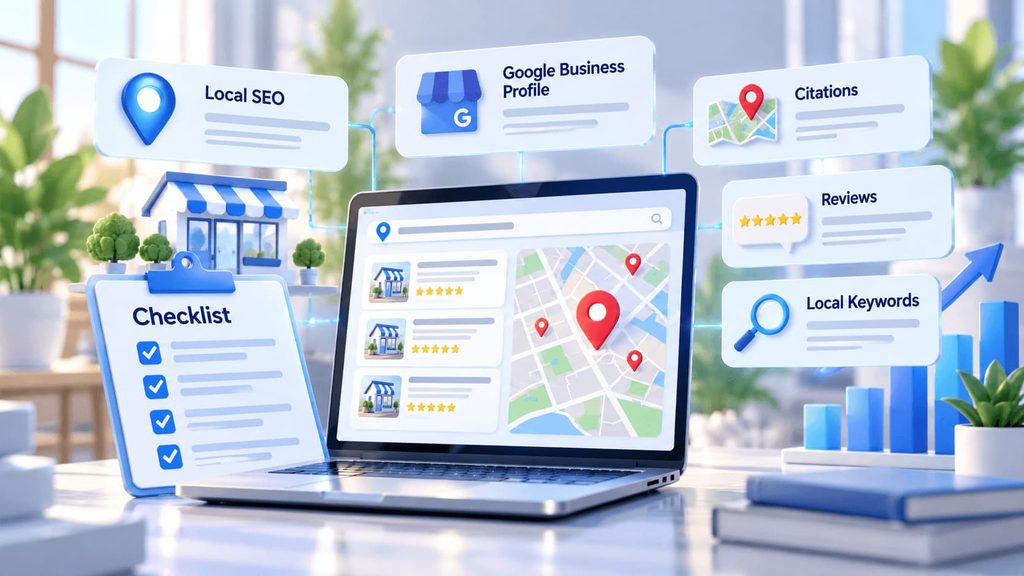
When someone searches “plumber near me” or “dentist in Calgary”, Google shows a map with three businesses before any regular results. Those three spots get most of the calls. For a small business, being in that local pack can matter more than ranking for any national keyword.
The good news is that local SEO is one of the most accessible kinds of SEO. You do not need a huge budget or thousands of backlinks. You need a complete profile, a solid website and consistent work every month. This guide shows how to do local SEO step by step, with a checklist you can copy and use.
What Is Local SEO for Small Business?
Local SEO is the process of optimizing your online presence so your business appears in location-based searches. That includes the Google local pack, Google Maps, regular results for queries like “service + city” and, more and more, answers from AI assistants that recommend local businesses.
According to Google, local results are based mainly on three factors:
- Relevance: how well your business matches what the person searched for.
- Distance: how far your business is from the searcher or the location in the query.
- Prominence: how well known and trusted your business is, based on reviews, links, mentions and your website.
You cannot move your office closer to every customer, but you can improve relevance and prominence. That is what the steps below do.
How to Do Local SEO: 7 Steps
Step 1. Claim and complete your Google Business Profile
Claim your profile, verify it and fill in every field: primary and secondary categories, services, hours, service area, description, attributes, photos and a link to the right page on your website. The primary category is one of the strongest local ranking signals, so choose the most specific one that matches your main service. For a detailed walkthrough, see our Google Business Profile optimization guide.
Step 2. Research local keywords
Find the terms people use to search for your services in your area: “service + city”, “service near me”, neighborhood names and problem-based searches like “burst pipe repair”. Group them by intent and assign each group to one page. Our guide on how many keywords to use for SEO explains how to plan this without overlap.
Step 3. Build local landing pages
Create a page for each location or main service area. Each page needs unique content: local details, services offered there, reviews from local customers, directions or a map and a clear call to action. Avoid copying one page and changing only the city name. Google treats near-identical pages as low quality.
Step 4. Optimize your website for local search
Put your city or region in key places: title tags, H1, the first paragraph and image alt text, where it reads naturally. Show your name, address and phone number (NAP) in the footer or on the contact page. Make sure the site loads fast and works well on mobile, because most local searches happen on phones.
Step 5. Add LocalBusiness schema
Structured data helps search engines and AI assistants understand your business details. Add LocalBusiness schema (or a more specific type, such as Dentist or Plumber) with your name, address, phone, hours, geo coordinates and links to your profiles. Keep it identical to your Google Business Profile.
Step 6. Get reviews consistently
Ask every happy customer for a review, right after the job is done. Send a direct link to make it easy. Reply to every review, positive or negative, within a few days. Recent reviews and your replies both show Google and customers that the business is active.
Step 7. Build citations and local links
List your business in trusted directories and industry platforms with the exact same NAP details. Then earn local links and mentions: local news, chambers of commerce, sponsorships, partner businesses and local events. These signals improve prominence.
Local SEO Checklist (Copy and Use)
| Area | Check | Done |
| Google Business Profile | Profile claimed and verified | ☐ |
| Google Business Profile | Most specific primary category selected, relevant secondary categories added | ☐ |
| Google Business Profile | Services, hours, service area and description complete | ☐ |
| Google Business Profile | At least 10 real photos, new photos added monthly | ☐ |
| Google Business Profile | Post published at least once a month | ☐ |
| Website | Unique landing page for each location or service area | ☐ |
| Website | City in title, H1 and first paragraph of local pages | ☐ |
| Website | NAP in footer or contact page, matching the profile | ☐ |
| Website | LocalBusiness schema added and valid | ☐ |
| Website | Fast and mobile-friendly | ☐ |
| Reviews | Review request sent after every job | ☐ |
| Reviews | Every review answered within a few days | ☐ |
| Citations | Same NAP on all directories and social profiles | ☐ |
| Citations | Listed on main directories for your industry and country | ☐ |
| Links | At least one new local link or mention per month | ☐ |
| Tracking | Rankings checked by location, calls and direction requests tracked | ☐ |
Example: Before and After
Before: Title tag “Home | Northside Plumbing”. Google Business Profile category “Contractor”. 6 reviews, the newest from last year. One page lists all services and cities.
After: Title tag “Emergency Plumber in Edmonton, AB | Northside Plumbing”. Primary category “Plumber”, secondary “Drainage service”. New reviews every month with replies. Separate pages for emergency plumbing and drain cleaning, each with local reviews and a map.
Northside Plumbing is a fictional example. The changes are small, but each one makes the business more relevant for the searches customers actually make.
How to Rank Higher on Google Maps
Google Maps uses the same factors as the local pack. To move up, focus on the things you control:
- Category and services. Match them to the exact searches you want to appear for.
- Reviews. Keep a steady flow of new reviews that mention your services and area naturally.
- Activity. Update photos, posts and offers regularly.
- Website signals. Link your profile to a strong local page, not just the homepage, when you have several locations.
- Proximity of your service area. Set it realistically. A service area far too large does not help you rank everywhere.
Local SEO and AI Search
AI assistants like ChatGPT, Perplexity and Google AI Overviews now answer questions such as “best dentist in Ottawa” or “who repairs furnaces near me”. They pull information from business profiles, reviews, directories and websites. To be recommended, make sure your business details are consistent everywhere, your site clearly states what you do and where, and your pages answer common customer questions directly. Learn more about answer engine optimization and our AI SEO services.
Common Local SEO Mistakes
- Choosing a broad primary category. “Contractor” competes with everyone. “Roofing contractor” is relevant.
- Different business details on different sites. An old address or phone number on one directory weakens trust.
- Copy-paste city pages. Pages that differ only by city name rarely rank and can hurt the rest of the site.
- Ignoring negative reviews. A calm, helpful reply often matters more to new customers than the review itself.
- Keyword stuffing the business name. Adding keywords to your profile name breaks Google’s guidelines and can get the profile suspended.
How SEO F1RST Helps Small Businesses Win Local Search
At SEO F1RST, we audit your Google Business Profile, local pages and citations, find what holds your rankings back and fix it in order of impact. We build local landing pages, set up schema, plan review campaigns and track rankings by location, so you see exactly where you appear on the map. See our SEO services to learn more.
FAQ: Local SEO for Small Business
How do I do local SEO for my small business?
Start by claiming and completing your Google Business Profile, then build a page for each location or service area, add your name, address and phone number to your site, add LocalBusiness schema, ask every customer for a review and list your business in trusted directories with the same details.
How long does local SEO take to work?
Simple fixes, such as a better primary category or complete profile, can show results within a few weeks. Stronger rankings in competitive areas usually take three to six months of steady work on reviews, content and links.
How can I rank higher on Google Maps?
Choose the most specific primary category, complete every field in your Google Business Profile, collect recent reviews steadily, add new photos and posts, and link your profile to a strong local page on your website.
Do I need a website for local SEO?
A Google Business Profile alone can bring calls, but a website makes your local rankings stronger. It gives Google more information about your services and location, supports your profile with schema and lets you rank in regular search results too.
What should a local SEO checklist include?
A local SEO checklist should cover your Google Business Profile, local landing pages, NAP consistency, LocalBusiness schema, reviews, citations, local links and tracking of rankings, calls and direction requests.
About the author
Vadym Romakh, SEO and GEO Specialist at SEO F1RST
Vadym has more than 10 years of experience in SEO and leads SEO and GEO strategy for ecommerce, Shopify and B2B brands at SEO F1RST. He holds Semrush certifications in AI search optimization and builds AI-assisted workflows for SEO audits and AI visibility tracking.
Want to rank higher in local search?
We run a free SEO and AI visibility audit that shows where you rank in Google and how often ChatGPT, Gemini, Perplexity and AI Overviews mention your brand. Get your free audit and a clear plan for what to do next.


