


Google Business Profile Optimization: How to Rank Higher on Google Maps


Google Business Profile Optimization: How to Rank Higher on Google Maps
TL;DR
Google Business Profile optimization is the process of completing and maintaining your free business listing on Google so you appear higher in Google Maps and the local pack. The biggest levers are the right primary category, accurate business details, a steady flow of genuine reviews with replies, fresh photos and posts, and consistent information across the web.
Key takeaways
- Your primary category matters most. It tells Google which searches you are relevant for, so choose the most specific one that matches your main service.
- Accurate details beat clever tricks. Your real business name, address, phone and hours, the same everywhere online, build trust with Google.
- Reviews are a ranking and a sales factor. Ask every happy customer, and reply to every review, good or bad.
- An active profile wins. Regular photos, posts and updates show Google and customers that the business is open and cared for.
- GBP optimization also feeds AI search. Google AI Overviews and AI assistants use your profile data and reviews when they recommend local businesses.
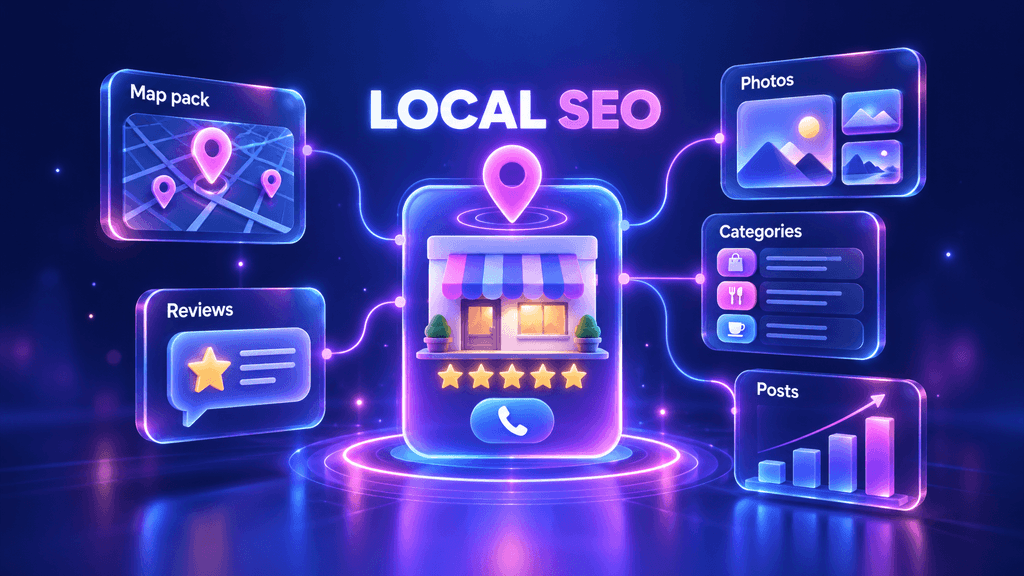
When someone searches for “dentist near me” or “plumber in Calgary”, Google usually shows a map with three businesses before any website. Those three spots, the local pack, get a large share of calls and visits. What decides who appears there is mostly your Google Business Profile.
The good news: the profile is free, and most competitors never fill it in properly. This guide shows how to optimize your Google Business Profile step by step, with a checklist you can copy and the mistakes that get profiles suspended.
What Is Google Business Profile Optimization?
Google Business Profile optimization, often called GBP optimization, means filling in every relevant field of your Google listing, keeping it accurate and active, and earning the signals Google uses to rank local businesses. A complete, trusted profile appears more often in Google Maps, the local pack and local AI answers.
Google says local rankings depend on three main factors:
- Relevance. How well your profile matches what the person searched for.
- Distance. How far your business is from the searcher or the location in the query.
- Prominence. How well known and trusted your business is, based on reviews, links, mentions and your overall web presence.
You cannot change distance, but optimization directly improves relevance and prominence.
How to Optimize Your Google Business Profile: Step by Step
Step 1. Claim and verify your profile
Search for your business on Google Maps. If a profile exists, claim it; if not, create one at business.google.com. Complete verification, because unverified profiles have limited visibility and anyone can suggest edits to them.
Step 2. Choose the right primary and secondary categories
Your primary category is the strongest relevance signal on the profile. Pick the most specific category that describes your main service, for example “Emergency dental service” rather than just “Dentist” if that is your focus. Then add secondary categories only for services you really offer.
Step 3. Use your real business name
Enter your business name exactly as it appears on your signage, website and documents. Adding keywords or locations to the name, like “Smith Plumbing Best Plumber Calgary”, breaks Google’s guidelines and can get the profile suspended.
Step 4. Keep your address, phone and website consistent
Your name, address and phone number (NAP) should be identical on your profile, website and directories. If you serve customers at their location and have no storefront, set a service area and hide your address. Link to the most relevant page of your website, and add UTM tags to the link so you can see GBP traffic in Google Analytics.
Step 5. Set accurate hours, including special hours
Add regular opening hours and update special hours for holidays. A customer who arrives at a closed business leaves a bad review, and Google may show “hours might differ” on profiles that look outdated.
Step 6. Write a useful business description
You have up to 750 characters. Start with what you do and for whom, mention your main services and areas naturally, and add what makes you different. Write for customers, not for keywords, and do not include links or promotions.
Step 7. Add services and products
List every service with a short description, and add products with photos if you sell them. These fields help Google match your profile to more specific searches, such as “root canal treatment” instead of only “dentist”.
Step 8. Upload real photos and videos regularly
Add your logo, cover photo, exterior, interior, team and work examples. Use real photos, not stock images. Adding new photos every month keeps the profile fresh and helps customers choose you.
Step 9. Get more Google reviews and reply to all of them
The best way to get more Google reviews is simply to ask: after a completed job, send a short message with your direct review link. Reply to every review within a few days, thank people for positive ones and answer negative ones calmly with a solution. Never buy reviews, offer rewards for them or ask only happy customers, since that breaks Google’s policies.
Step 10. Publish Google Business Profile posts
Posts let you share updates, offers and events directly on your profile. Publish at least a few times a month with a clear photo and a call to action. Posts are not a strong ranking factor on their own, but they show that the business is active and give customers a reason to contact you.
Step 11. Build consistent citations and local links
List your business in trusted directories and local sites with exactly the same name, address and phone. Mentions and links from local media, associations and partners strengthen prominence, the third local ranking factor.
Step 12. Track performance and adjust
Check the Performance report in your profile every month: searches, views, calls, direction requests and website clicks. See which search terms bring people to your profile and use them in your services, description and posts.
Google Business Profile Optimization Checklist (Copy and Use)
| Area | What to do | Done when |
| Ownership | Claim and verify the profile | Profile shows as verified |
| Primary category | Most specific category for your main service | Matches the search you most want to win |
| Secondary categories | Only for services you really offer | No unrelated categories |
| Business name | Real name, no added keywords | Matches signage and website |
| NAP | Same name, address, phone everywhere | Identical on website and directories |
| Website link | Link to the most relevant page with UTM tags | GBP visits visible in Analytics |
| Hours | Regular and special hours set | Updated before every holiday |
| Description | Up to 750 characters, written for customers | Main services and areas included |
| Services and products | Every service listed with a description | No main service missing |
| Photos | Logo, cover, exterior, interior, team, work | New photos added monthly |
| Reviews | Ask every customer, reply to every review | Replies within a few days |
| Posts | Updates, offers or events | Several posts a month |
| Performance | Monthly review of calls, clicks, directions | Changes made based on data |
Example: A Business Description That Works
Here is the same description written two ways for a fictional dental clinic.
Before:
“Best dentist Ottawa, dental clinic Ottawa, cheap dentist near me. We are the best dental clinic with the best dentists. Call now!”
After:
“Family dental clinic in Centretown, Ottawa, offering checkups, cleanings, fillings, root canal treatment and emergency appointments. Our team of four dentists treats adults and children, with evening hours on weekdays and direct billing to most insurance plans. Free parking is available behind the building.”
The second version reads naturally, names real services and areas, and answers questions customers actually have. That is what both Google and customers respond to.
Google Business Profile and AI Search
When people ask Google AI Overviews, ChatGPT or Perplexity for “the best plumber near me” or “a good dentist in Ottawa”, those systems rely on local data they trust: Google Business Profiles, reviews, directories and mentions. A complete profile with consistent details and detailed, recent reviews makes your business easier for AI to recommend.
Reviews that mention specific services, for example “fast emergency root canal”, give AI systems clear facts about what you do well. Consistent information across your profile, website and directories removes doubt about who you are. This is part of how we approach local visibility in our AI SEO services.
Common Google Business Profile Mistakes
- Keyword stuffing the business name. It breaks Google’s guidelines and is a common reason for suspension.
- Choosing a broad primary category. “Lawyer” competes with everyone, “Personal injury attorney” matches the clients you want.
- Using a virtual office or PO box as the address. Google requires a real location where you serve customers, or a service area.
- Ignoring reviews. Unanswered negative reviews cost more customers than the review itself.
- Buying or incentivizing reviews. Google can remove reviews and restrict the profile.
- Setting it up once and forgetting it. Outdated hours, old photos and no posts make the business look inactive.
How SEO F1RST Optimizes Google Business Profiles
At SEO F1RST, Google Business Profile optimization is part of every local SEO project. We audit categories, details and reviews, fix inconsistencies across directories, build location pages that support each profile and set up tracking so you can see calls and visits from Google Maps. For brands with several locations, our franchise SEO approach keeps every profile consistent and helps each branch rank in its own area. Our guide on how to dominate local SEO covers the wider local strategy around your profile.
FAQ: Google Business Profile Optimization
How long does it take to see results from Google Business Profile optimization?
Simple fixes like the right category, accurate hours and new photos can show an effect within a few weeks. Stronger local rankings usually take 2 to 3 months, depending on competition, your reviews and how many other local signals your business has.
How do I rank higher on Google Maps?
Choose the most specific primary category, complete every field of your profile, keep your name, address and phone consistent across the web, earn genuine reviews and reply to them, and keep the profile active with photos and posts. Links and mentions from local websites also help.
How can I get more Google reviews?
Ask every customer after a completed service, send them your direct review link by text or email, and make it part of your routine. Reply to all reviews to show you value feedback. Do not offer discounts or gifts for reviews, since that breaks Google’s policies.
Do Google Business Profile posts help rankings?
Posts are not a strong direct ranking factor, but they keep your profile active, show offers and updates to customers and can increase calls and website visits. Publishing a few posts a month is a simple way to stand out from inactive competitors.
Can I have a Google Business Profile without a physical address?
Yes. If you serve customers at their location, such as a cleaning or plumbing company, you can set up a service area business and hide your address. You still need a real location for verification, and virtual offices are not allowed.
About the author
Vadym Romakh, SEO and GEO Specialist at SEO F1RST
Vadym has more than 10 years of experience in SEO and leads SEO and GEO strategy for ecommerce, Shopify and B2B brands at SEO F1RST. He holds Semrush certifications in AI search optimization and builds AI-assisted workflows for SEO audits and AI visibility tracking.
Want more customers from Google Maps and AI search?
We run a free SEO and AI visibility audit that shows where you rank in Google and how often ChatGPT, Gemini, Perplexity and AI Overviews mention your brand. Get your free audit and a clear plan for what to do next.


